

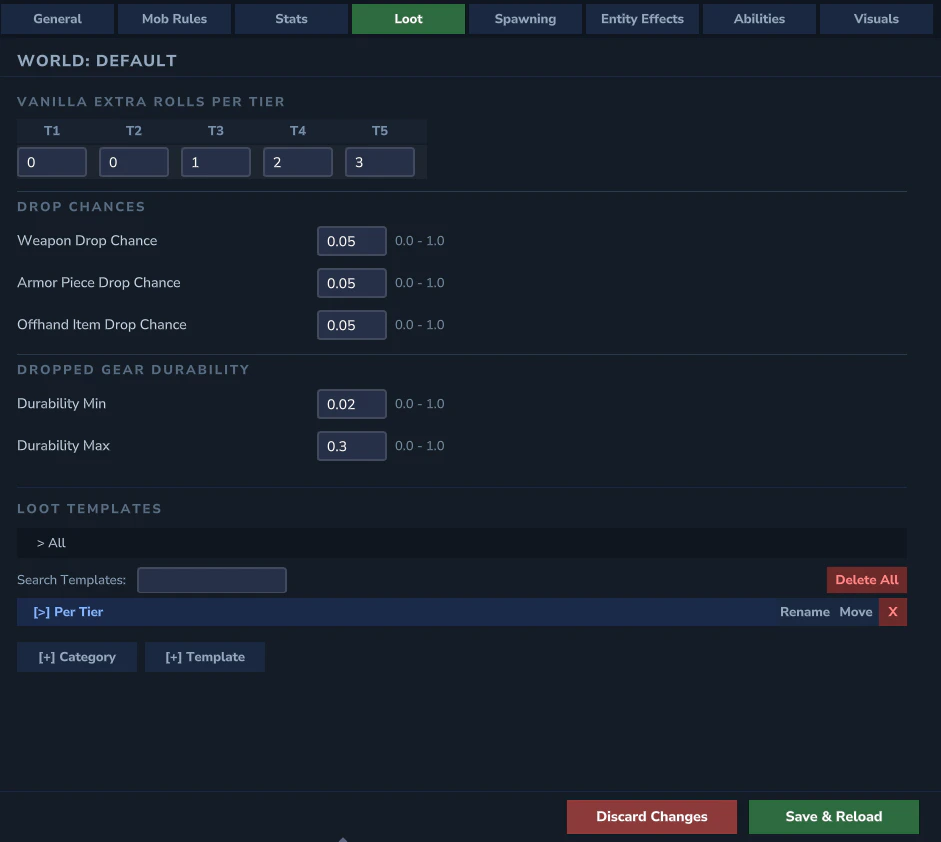
Scalar Fields
- Vanilla drop extra rolls per tier (T1–T5)
- Equipment drop chances - weapon, armor, and off-hand chance fields
- Default Loot Template - name of the fallback loot template for this world
Loot Template Tree
A tree explorer for managing loot templates. Categories are shown in blue, templates in green.- Search filter to search across all categories
- Back/Forward navigation and breadcrumb bar
- Add Template and Add Category buttons
Loot Template Detail Panel
Clicking a loot template expands a detail panel: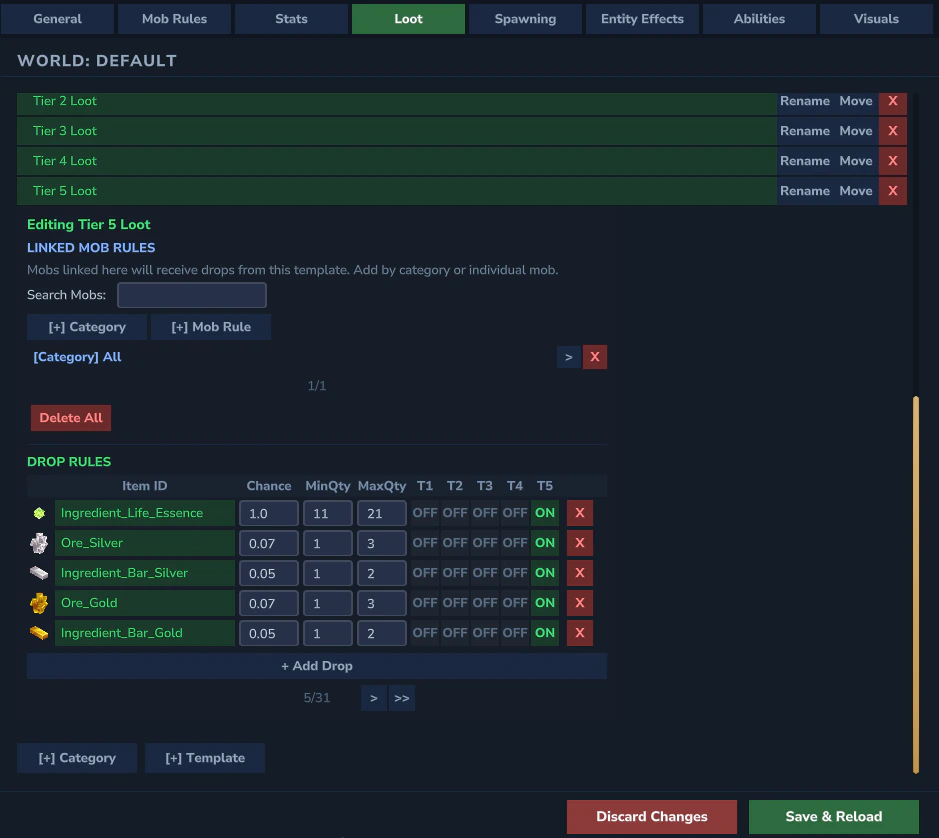
Linked Mob Rules
Paginated list (10 per page) showing which mob rules trigger this template. Each row has a delete button.- Add Category - expands a mob rule category to add all its individual keys
- Add Mob - opens the NPC picker to add an individual mob rule
Drop Rules
Paginated list (5 per page) of item drops. Each drop has:- Item ID - selected via the Item Picker popup (shows item icon)
- Drop Chance - probability from 0.0 to 1.0
- Min / Max Quantity - stack size range
- Per-tier toggles - 5 ON/OFF buttons (T1–T5) controlling which tiers can produce this drop
loot.yml fields.