

Weapon Categories
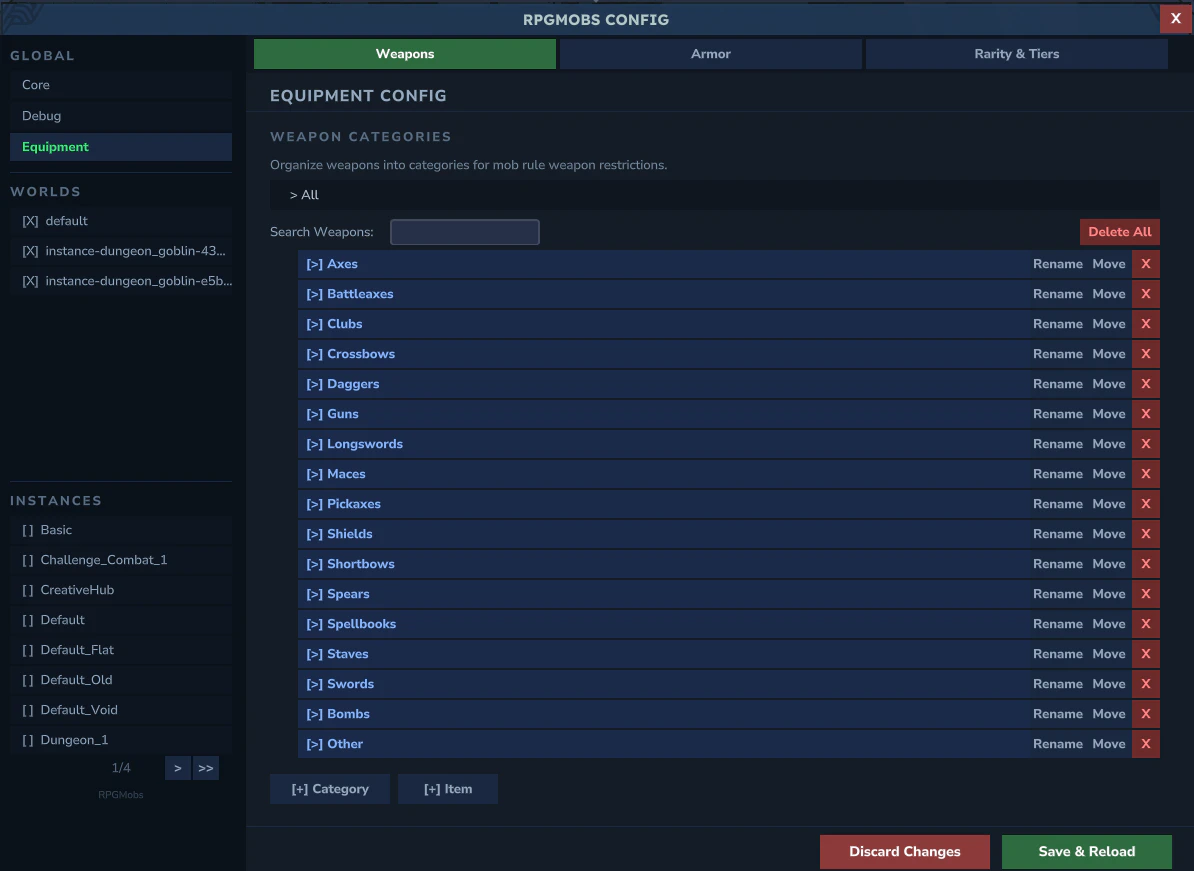
category:CategoryName syntax.
- Tree explorer with expandable detail panels showing category contents
- Add/Rename/Delete individual weapon IDs within each category
- Add Category to create new groupings
Armor Categories
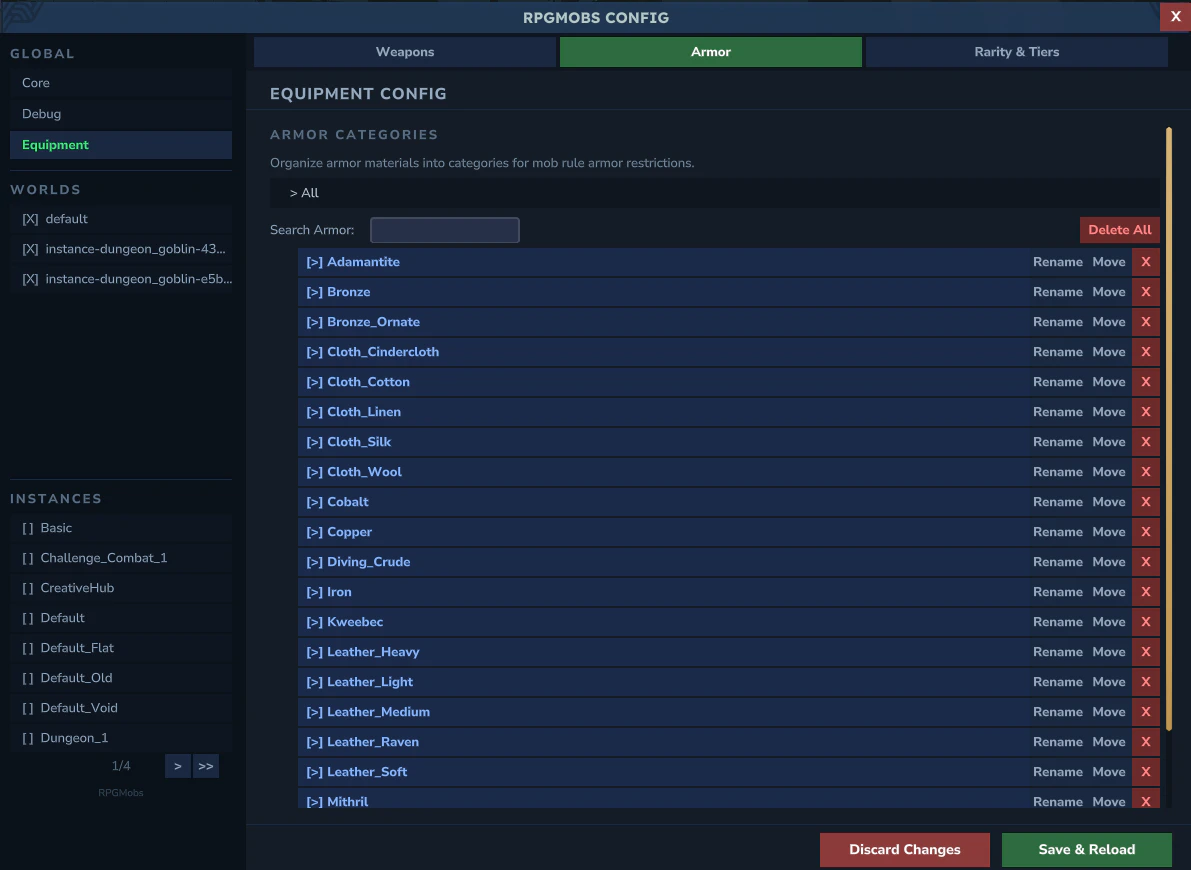
Armor_Material_Slot format (e.g., Armor_Iron_Head, Armor_Iron_Chest).
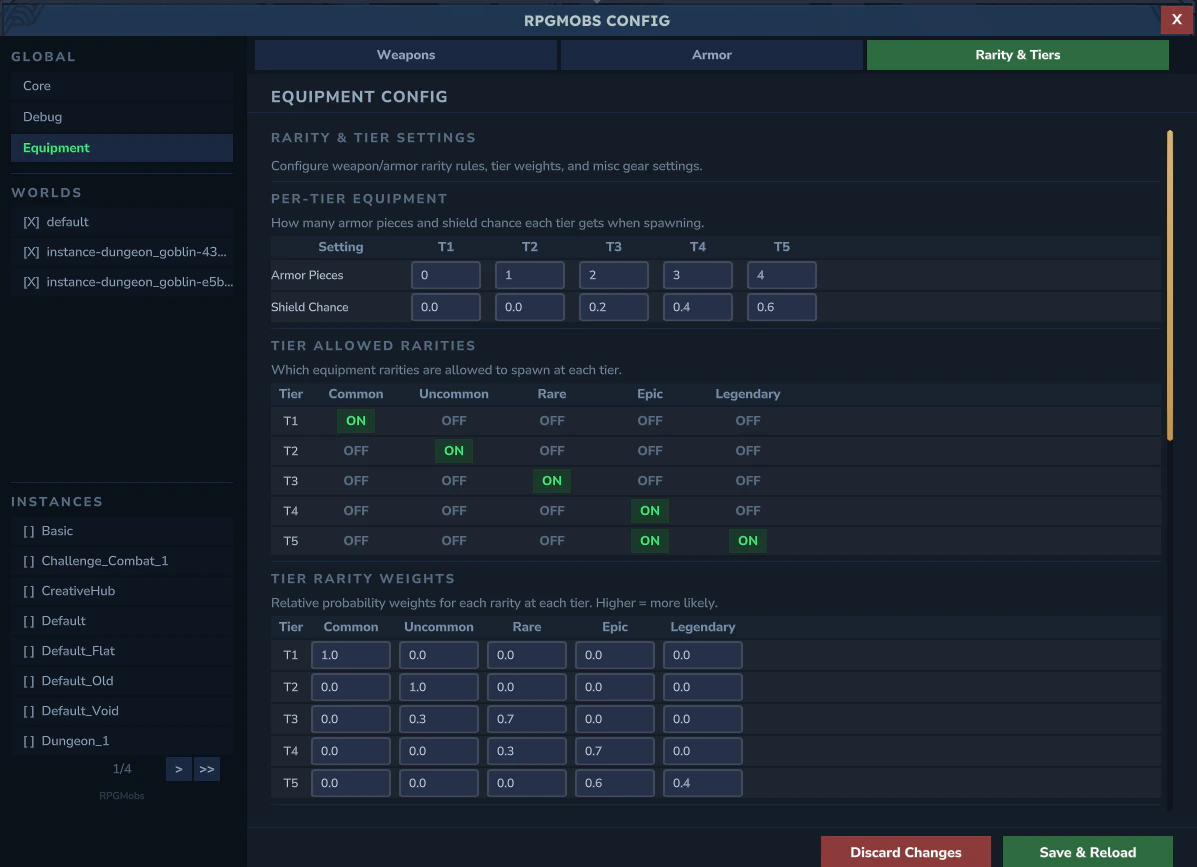
Rarity & Tiers
Gear Durability
- Spawn Durability Min/Max - condition range for gear spawned on elites
Per-Tier Equipment
- Armor Pieces per Tier - 5 fields (T1–T5) controlling how many armor slots each tier fills
- Shield Chance per Tier - 5 fields (T1–T5) controlling off-hand utility item probability
Tier Allowed Rarities
A 5x5 ON/OFF toggle grid - 5 tiers (rows) by 5 rarities (common, uncommon, rare, epic, legendary). Controls which rarity levels each tier can equip.Tier Rarity Weights
5 clickable tier rows with summary text. Expanding a row shows 5 weight fields - one per rarity - controlling how likely each rarity is to be chosen for that tier.Two-Handed Keywords
Paginated list of keywords that mark weapons as two-handed. Mobs holding a two-handed weapon never equip a shield.Weapon / Armor Rarity Rules
Paginated map editors - each entry is a keyword fragment paired with a rarity (cycles through common/uncommon/rare/epic/legendary). When an item ID contains the keyword, it is classified as that rarity. YAML reference: See Gear for the underlyinggear.yml fields.