

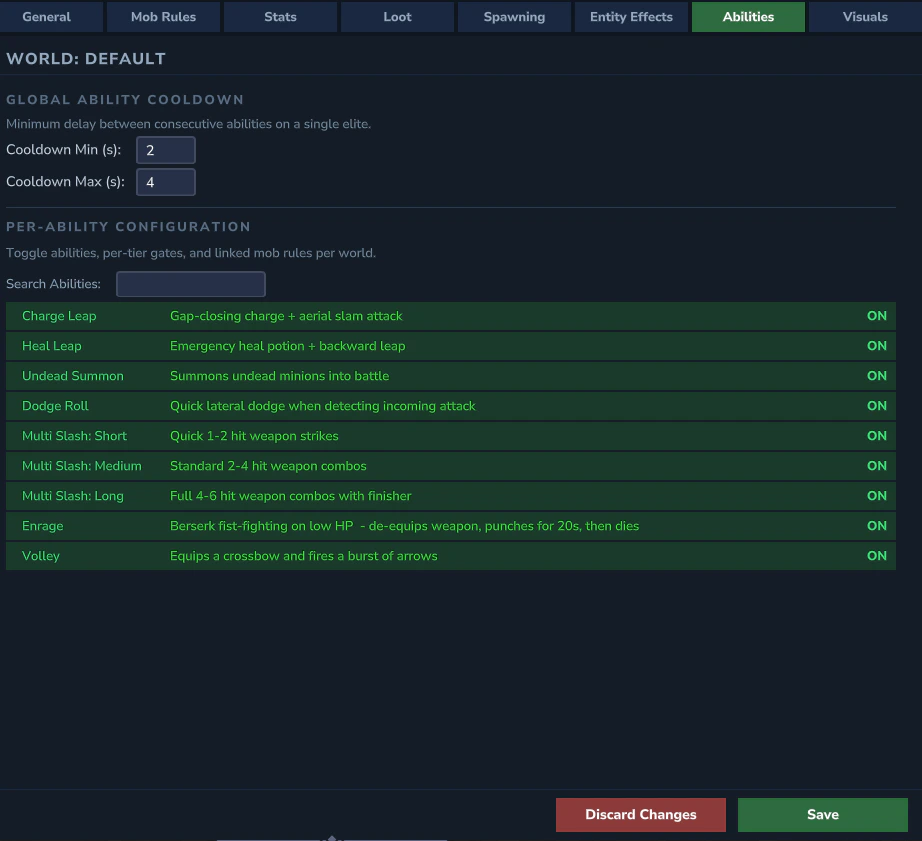
Ability List
Each ability appears as a row with an ON/OFF toggle and a search filter. The list is auto-populated from all abilities registered by the plugin.Ability Detail Panel
Clicking an ability expands its detail panel: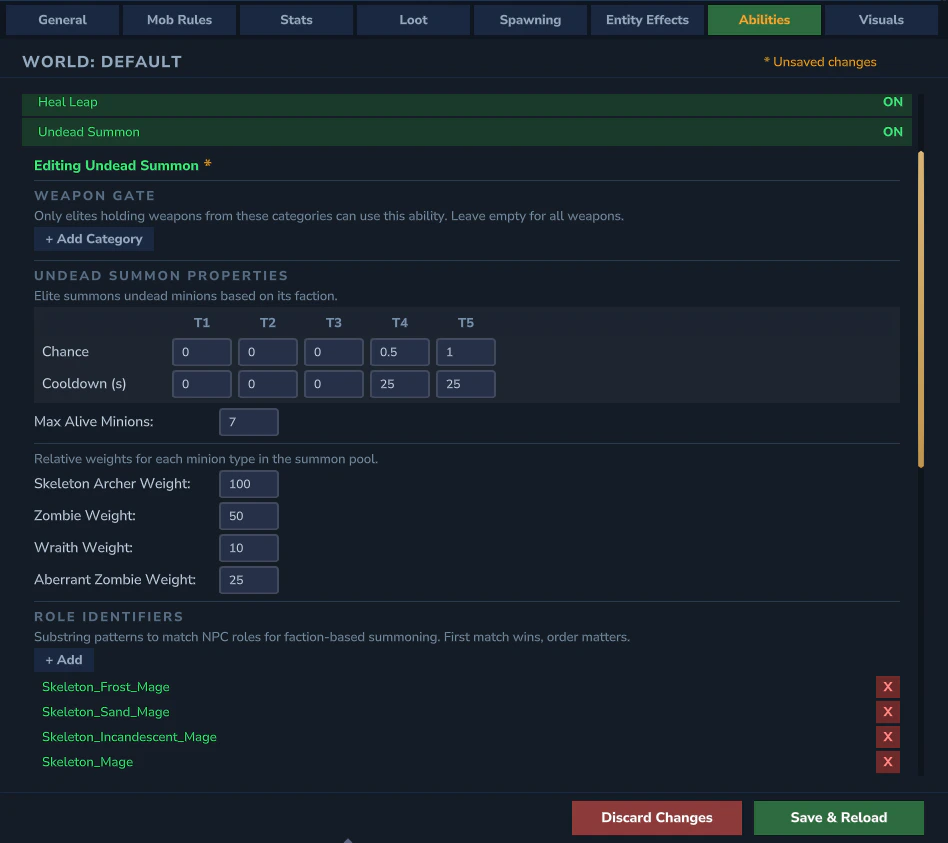
Linked Mob Rules
A paginated list showing which mob rules are linked to this ability. Each entry displays:- Mob rule key (e.g.,
Goblin_Duke,category:Skeletons) - 5 per-tier ON/OFF toggles (T1–T5) - control which tiers this specific mob can use the ability at
Adding Linked Mobs
- Add Category - opens a category browser to add all mob rules from a category at once
- Add Mob - opens the NPC picker to add an individual mob rule
Category Entries
Category entries (prefixed withcategory:) have a [>] peek button to view which individual mobs are included. Toggling a per-tier value on a category entry propagates the change to all individual mob entries within that category.
YAML reference: See Abilities for the underlying abilities.yml fields and ability-specific settings.