> ## Documentation Index
> Fetch the complete documentation index at: https://docs.rpgmobs.frotty27.com/llms.txt
> Use this file to discover all available pages before exploring further.
# Abilities Tab
> Managing ability configuration through the Admin UI.
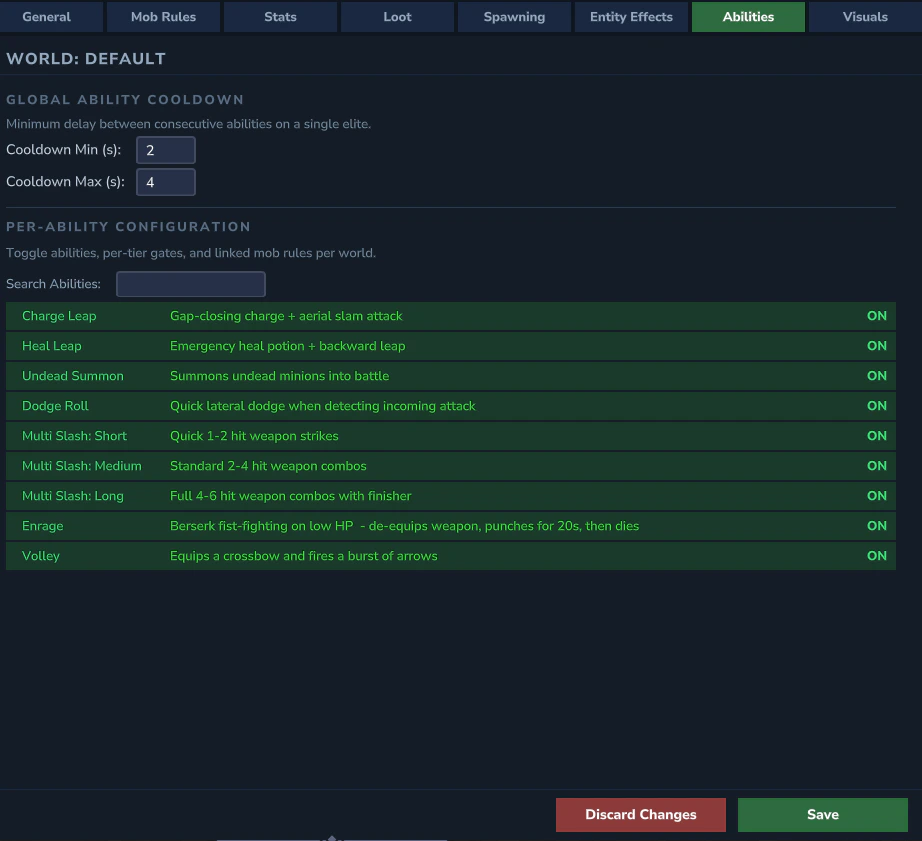
The Abilities tab auto-discovers all registered abilities and provides per-world overlay controls for each.
 ## Ability List
Each ability appears as a row with an ON/OFF toggle and a search filter. The list is auto-populated from all abilities registered by the plugin.
## Ability Detail Panel
Clicking an ability expands its detail panel:
## Ability List
Each ability appears as a row with an ON/OFF toggle and a search filter. The list is auto-populated from all abilities registered by the plugin.
## Ability Detail Panel
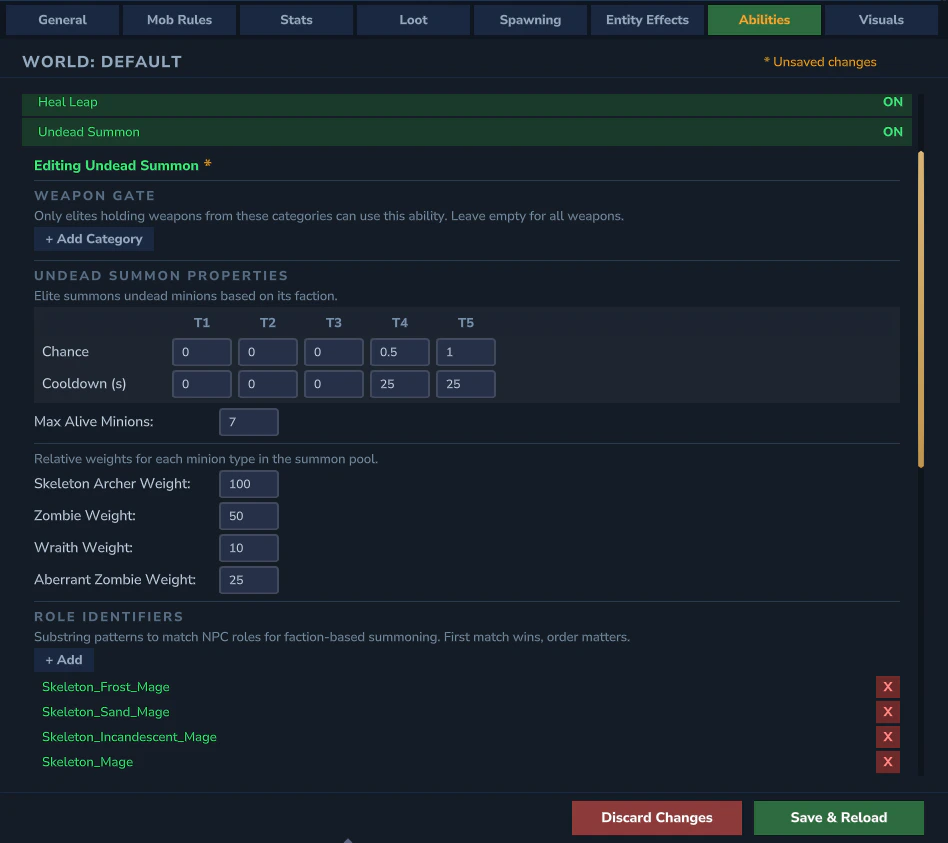
Clicking an ability expands its detail panel:
 ### Linked Mob Rules
A paginated list showing which mob rules are linked to this ability. Each entry displays:
* **Mob rule key** (e.g., `Goblin_Duke`, `category:Skeletons`)
* **5 per-tier ON/OFF toggles** (T1–T5) - control which tiers this specific mob can use the ability at
### Adding Linked Mobs
* **Add Category** - opens a category browser to add all mob rules from a category at once
* **Add Mob** - opens the NPC picker to add an individual mob rule
### Category Entries
Category entries (prefixed with `category:`) have a `[>]` peek button to view which individual mobs are included. Toggling a per-tier value on a category entry propagates the change to all individual mob entries within that category.
**YAML reference:** See [Abilities](/config/abilities) for the underlying `abilities.yml` fields and ability-specific settings.
### Linked Mob Rules
A paginated list showing which mob rules are linked to this ability. Each entry displays:
* **Mob rule key** (e.g., `Goblin_Duke`, `category:Skeletons`)
* **5 per-tier ON/OFF toggles** (T1–T5) - control which tiers this specific mob can use the ability at
### Adding Linked Mobs
* **Add Category** - opens a category browser to add all mob rules from a category at once
* **Add Mob** - opens the NPC picker to add an individual mob rule
### Category Entries
Category entries (prefixed with `category:`) have a `[>]` peek button to view which individual mobs are included. Toggling a per-tier value on a category entry propagates the change to all individual mob entries within that category.
**YAML reference:** See [Abilities](/config/abilities) for the underlying `abilities.yml` fields and ability-specific settings.